

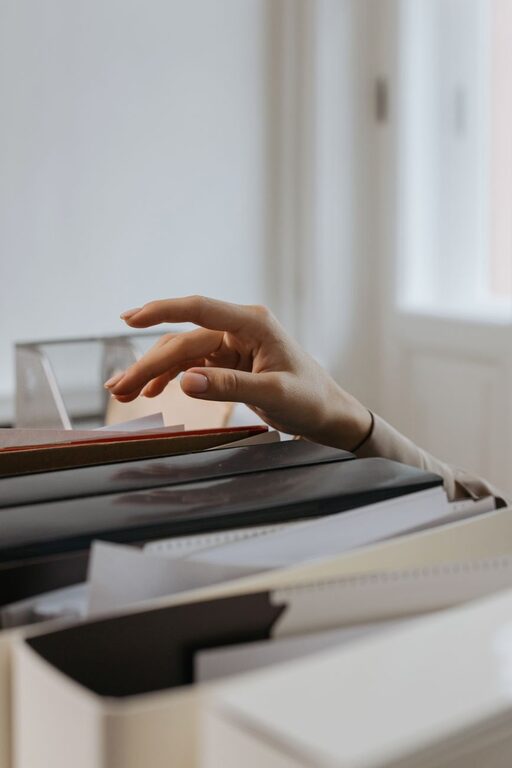
Paper clutter can build up quickly. Mail, receipts, school notices, instruction manuals, coupons, and notes often collect on counters and tables before you have time to deal with them. The good news is that you do not need a complicated filing system to regain control.
A few simple habits can help you reduce the amount of paper entering your home, organize the documents you need to keep, and clear out items you no longer use.
Start With One Small Area
Trying to sort every piece of paper in your home at once can feel overwhelming. Instead, begin with one visible area, such as:
– The kitchen counter
– A desk drawer
– A mail basket
– A pile near the front door
– One section of a filing cabinet
Set a timer for 15 or 20 minutes. Work only on that area, and stop when the timer ends if you need a break. Small sessions are easier to maintain and can create steady progress without taking over your day.
Before sorting, gather a few basic supplies:
– A recycling bag
– A trash bag
– A shredder or shredding box
– A folder for papers that need action
– A box for documents to file
Use Four Simple Categories
A clear sorting method makes decisions easier. For each item, place it into one of four categories:
Recycle
Use this category for papers you no longer need, such as:
– Old advertisements
– Expired coupons
– Duplicate copies
– Unwanted envelopes
– Outdated event flyers
– Notes you have already transferred elsewhere
Remove anything with personal information before recycling. If a paper includes private details, place it in a secure shredding pile instead.
Shred
Shred papers that contain information you do not want to leave exposed. Examples may include your name and address, account details, identification numbers, or other personal information.
If you do not own a shredder, look for a local shredding service or a community shredding event. Keep papers awaiting shredding in a closed box rather than leaving them loose in a recycling bin.
Take Action
Some papers stay in your home because they require a decision or response. Place these in one clearly labeled “Action” folder. Examples include:
– Forms that need to be completed
– Invitations that need a reply
– Items that need to be returned
– Bills or notices that require attention
– Receipts connected to a planned return
Review this folder on a regular schedule, such as every Saturday morning. A folder is useful only when it has a follow-up habit attached to it.
File or Scan
Keep papers that are important, useful, or difficult to replace. Depending on the document, you may store a physical copy, a digital copy, or both.
Create a Simple Filing System
A filing system does not need many categories. Too many folders can make filing feel like a chore. Start with broad labels that match your household’s needs.
Useful categories may include:
– Home
– Vehicles
– Education
– Employment
– Receipts
– Warranties
– Personal records
– Projects
– Manuals
Use folders, labeled envelopes, or a small file box. Choose the storage method that is easiest for you to maintain, not the one that looks most complex.
Keep frequently used documents in an easy-to-reach location. Less frequently needed papers can go in a larger storage box or cabinet. Label each container clearly so you can find items without opening every folder.
Set Up an Everyday Paper Station
A small paper station can prevent new piles from spreading around the house. It might include:
– An inbox for unopened mail
– An action folder
– A recycling container
– A shred pile box
– A pen for marking envelopes or notes
Keep this station near the place where mail usually enters your home. When every paper has an obvious first destination, it is less likely to land on a counter or table.
Avoid using the station as a permanent storage area. The inbox is for papers that have not yet been reviewed, while the action folder is for items that need a response.
Reduce Paper at the Source
The easiest paper to organize is paper that never enters your home. Look for ways to reduce incoming items:
– Unsubscribe from catalogs and promotional mail
– Choose paperless statements when available
– Ask organizations to remove outdated addresses
– Cancel unwanted newsletters sent by mail
– Avoid taking printed receipts when a digital option is offered
– Request digital copies of documents when practical
Make these changes gradually. You do not need to update every account or mailing list in one afternoon. Handle one or two sources each week.
Scan Important Documents
Scanning can reduce the need for physical storage, especially for documents you may want to reference but rarely use. A phone scanning app can often create a clear PDF without special equipment.
When scanning documents:
- Use descriptive file names.
- Include the date when it helps.
- Store files in clearly labeled folders.
- Keep a backup of important digital records.
- Protect files with a password when appropriate.
For example, a file named “Home Warranty Kitchen Appliance 2026” is easier to find than one named “Scan001.” Choose a naming system and use it consistently.
Digital storage can also become cluttered, so avoid scanning every piece of paper automatically. Keep only useful documents, and delete digital copies that are no longer needed.
Handle Receipts With a Clear Rule
Receipts are a common source of paper clutter. Decide which receipts you actually need before they begin to accumulate.
You might keep receipts for:
– Items you may return
– Warranties
– Larger purchases
– Work or school records
– Household projects
For everyday purchases, you may not need to keep the paper after checking that the transaction is correct. Create a small receipt envelope or digital folder for the receipts you do need, and review it regularly.
Give Manuals and Warranties a Home
Instruction manuals often pile up in drawers. Before keeping one, check whether the same information is available online. If you decide to keep it, place manuals in a single labeled folder or box.
You can also group manuals by room or type, such as kitchen appliances, electronics, and tools. Attach warranty information to the related manual or store it in a dedicated warranty folder.
When an item leaves your home, remove its manual and related paperwork during the same cleanup session.
Build a Weekly Paper Habit
A short weekly routine can keep clutter from returning. Choose a day and spend 10 minutes doing the following:
– Open and sort new mail
– Empty the paper inbox
– Review the action folder
– Recycle outdated papers
– Shred documents that are ready
– File items that need long-term storage
You can also use a daily two-minute habit: sort mail as soon as you bring it inside. Toss advertisements, place action items in their folder, and file anything that needs to be kept.
Review Your Files Regularly
Paper storage can become cluttered even when your system works well. Once or twice a year, review your folders and boxes. Look for documents that are outdated, duplicated, or connected to items you no longer own.
If you are unsure whether a document should be kept, check with the organization that issued it or a qualified professional who can explain the relevant recordkeeping requirements. Keep the decision separate from your general decluttering routine, and avoid discarding documents simply because they are old.
The goal is not to eliminate every sheet of paper. It is to create a system that helps you decide what belongs in your home, where it should go, and when it can leave. With a few simple categories and regular short check-ins, paper clutter becomes much easier to manage.